
Last updated: July 6, 2026
TLDR
An MTG proxy PDF should be formatted at standard card size, usually 2.5 x 3.5 inches per card, arranged cleanly on letter or A4 pages.
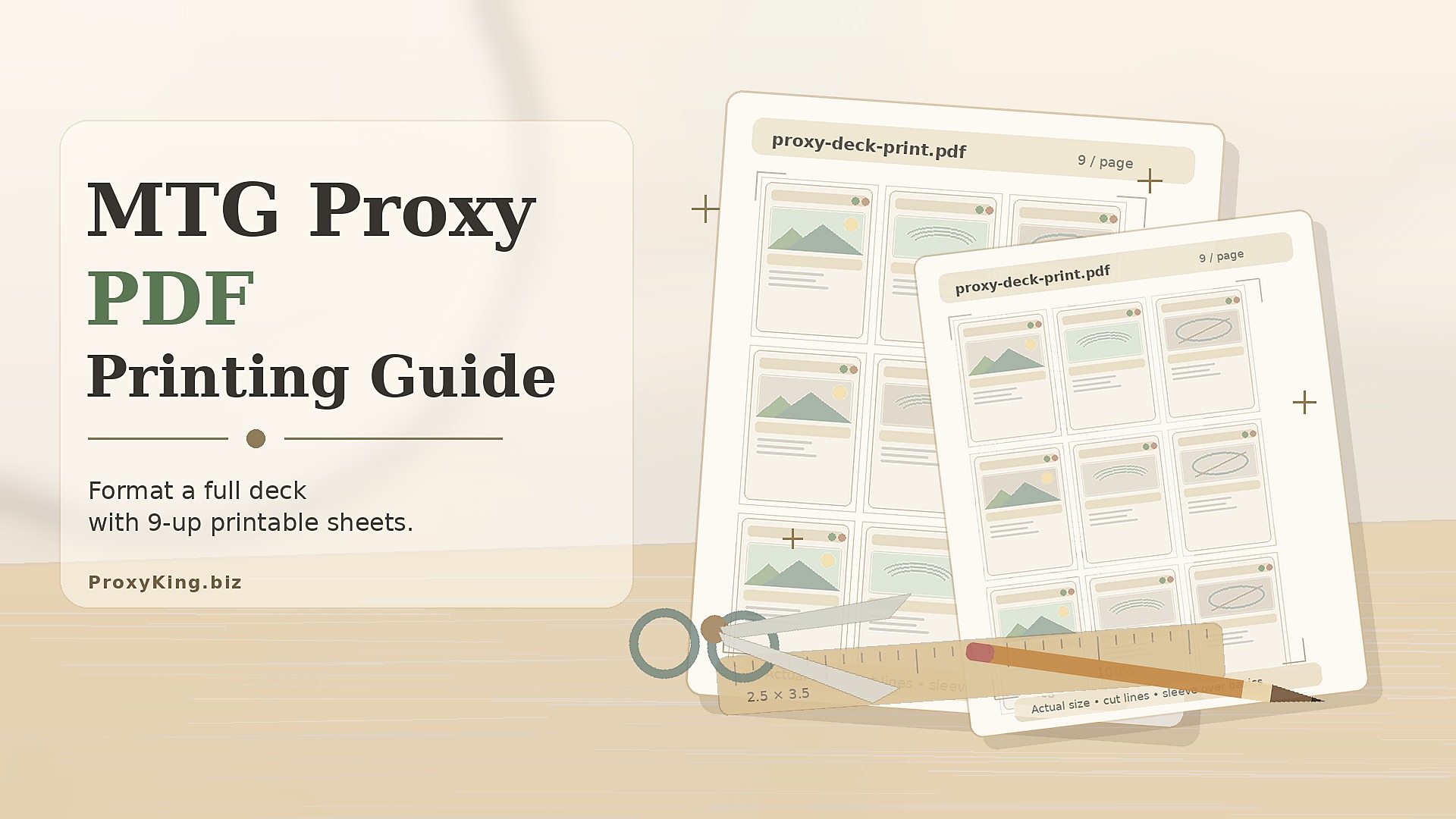
For a full Commander deck, a 9-card-per-page layout usually takes 12 pages. A 60-card deck usually takes 7 pages. Math, tragically, remains legal in casual play.
Use clear card images or text proxies, print at 100 percent scale, sleeve the cutouts in front of basic lands or filler cards, and make sure your group is fine with proxies before the game starts.
Start With the Decklist, Not the PDF
The best MTG proxy PDF guide starts with a boring truth: your PDF is only as clean as your decklist.
Before you touch page size, card spacing, image files, or crop marks, make sure your decklist is finished enough to print. Not “perfect forever,” because Magic decks are never finished. They just become slightly less embarrassing over time. But the list should at least be stable enough that you are not reprinting 37 cards two hours later.
For a full deck, organize the list by:
Commander, if applicable
Main deck
Sideboard, if applicable
Tokens
Maybeboard cards you actually want to test
Basic lands, if you are proxying the whole deck
A clean exported list from a deck builder is easiest. Moxfield, Archidekt, and similar tools are useful because they keep quantities, card names, and categories tidy. If you are checking exact card names, printings, or Oracle text, Scryfall is one of the most useful references.
Do not rely on memory for card names. “That one black enchantment that drains everyone” is a feeling, not a printable file.
Choose the Type of Proxy PDF
There are three common ways to format an MTG proxy PDF.
| Proxy PDF Type | Best For | Main Tradeoff |
|---|---|---|
| Full-image proxies | Readability and table recognition | Uses more ink |
| Text-only proxies | Fast testing and low ink use | Less visual recognition |
| Minimal playtest slips | Early deck drafts | Not as attractive or easy to parse |
Full-image proxies look closest to normal gameplay at a glance. Players can recognize art, frame color, mana cost, and card type quickly. This helps in Commander games where board states already look like someone spilled a filing cabinet.
Text-only proxies are excellent for early playtesting. They are cheaper to print and easier to revise. The downside is that players need to read more often, and nobody wants every combat step to become a literature seminar.
Minimal playtest slips are the fastest option. Write the card name, mana cost, type, and a shorthand version of the effect. These are fine for early testing, but not ideal for a full deck you plan to shuffle repeatedly.
Standard MTG Proxy PDF Dimensions
A Magic-style card uses the standard trading card footprint of about 2.5 inches wide by 3.5 inches tall.
For digital files, that translates to:
| Print Resolution | Card Size in Pixels |
|---|---|
| 300 DPI | 750 x 1050 pixels |
| 600 DPI | 1500 x 2100 pixels |
For home printing, 300 DPI is usually enough. Higher resolution can help with art and small text, but it will not rescue a blurry source image. A low-resolution image inside a high-resolution PDF is still blurry. It is just blurry with confidence.
If you are printing paper inserts to sleeve in front of basic lands, you do not usually need bleed. You just need the card image to be close to finished size, cut cleanly, and sleeve properly. If you are preparing files for professional card-style printing, bleed and safe zones matter much more.
Letter and A4 Page Layouts
Most players use either US letter paper or A4 paper.
| Paper Size | Dimensions | Common Proxy Layout |
|---|---|---|
| US Letter | 8.5 x 11 inches | 3 columns x 3 rows |
| A4 | 210 x 297 mm | 3 columns x 3 rows |
A 3 x 3 layout fits 9 standard cards per page.
For a 100-card Commander deck:
100 cards divided by 9 per page = 11.12 pages
Round up to 12 pages
For a 60-card deck:
60 cards divided by 9 per page = 6.67 pages
Round up to 7 pages
For a 75-card deck with sideboard:
75 cards divided by 9 per page = 8.34 pages
Round up to 9 pages
That last partially filled page is annoying, but it is normal. You can use extra slots for tokens, alternate commanders, maybeboard cards, or the card you know you will add after losing once.
Use a 3 x 3 Grid for Full Deck Printing
The easiest full-deck MTG proxy PDF layout is a 3 x 3 grid.
Each card slot should be:
2.5 inches wide
3.5 inches tall
Aligned evenly
Separated by small gutters or cut lines
Placed at actual size
For US letter paper, 3 cards across equals 7.5 inches, leaving about 1 inch total horizontal margin. Three cards tall equals 10.5 inches, leaving about 0.5 inches total vertical margin.
That is tight, but workable for paper inserts.
If your printer clips the top or bottom, reduce the layout slightly or use narrower cut marks. Do not let your software automatically “fit to page” after you carefully built the layout. That is how cards become slightly too small, which is a quiet but very real kind of betrayal.
Add Cut Lines, But Keep Them Light
Cut lines are useful. Giant black borders are not.
For proxy PDFs, add light gray guide lines between cards. These help with scissors, rotary cutters, or paper trimmers without making the finished proxy look like it escaped from a spreadsheet.
Good cut line rules:
Use thin gray lines.
Keep guides outside the visible card area when possible.
Do not use heavy black borders.
Do not place important text near the cut edge.
Print one test page before printing the whole deck.
If you are sleeving the inserts over basic lands, small cutting errors usually disappear inside sleeves. That is one of the great mercies of casual proxy printing. Sleeves hide many sins. Not all. But many.
Keep the PDF One-Sided for Home Printing
For most casual proxy decks, one-sided printing is better.
Print the card fronts on paper, cut them out, and sleeve each one in front of a basic land, bulk card, or other filler card. Use opaque sleeves so the backs are consistent.
This method avoids several problems:
Misaligned double-sided printing
Marked-card concerns from different backs
Printer registration issues
Extra ink use
More complicated PDF setup
Double-sided proxy sheets sound efficient until the front and back are misaligned by 2 millimeters and your deck looks haunted. One-sided inserts are simpler, cleaner, and better for most casual decks.
Sort the PDF Before Printing
A full deck proxy PDF becomes much easier to manage if you sort it before exporting.
Good sorting options include:
By deck section: commander, creatures, artifacts, enchantments, instants, sorceries, lands
By color: white, blue, black, red, green, multicolor, colorless, lands
By mana value: low to high
By print priority: must-test cards first, optional cards later
By sleeve order: exactly how you want to assemble the deck
For Commander decks, I like this order:
Commander
Core engine cards
Ramp and mana rocks
Draw and tutors
Removal and interaction
Win conditions
Lands
Tokens
Maybeboard tests
This makes assembly easier after cutting. Otherwise, you are sitting at a table with 100 little rectangles trying to find one Sol Ring, which is somehow both easy and impossible.
Use Current Card Text
If your PDF uses full card images from recent printings, the card text is usually already usable. But older cards may have outdated wording. For playtesting, current Oracle text is what matters.
This is especially important for:
Old legends
Reserved List cards
Cards with creature type updates
Cards with errata
Cards with companion, cascade, or other rules-sensitive mechanics
Cards with old templating
If your goal is testing actual gameplay, use the current functional text. Old wording has charm, but so does a handwritten treasure map. Neither is ideal when someone needs to know whether the ability targets.
Make the Cards Readable Across the Table
A proxy PDF should be readable in actual play, not just beautiful on a monitor.
Check these before printing:
Card name is visible.
Mana cost is clear.
Type line is readable.
Rules text is not muddy.
Power and toughness are visible.
Images are not too dark.
Important text is not cut off.
Double-faced cards are handled clearly.
If a card is hard to read, use a text proxy or a cleaner image. You are not printing a museum exhibit. You are printing game pieces. The game piece must function.
Handling Double-Faced Cards
Double-faced cards are awkward in proxy PDFs because most home setups are one-sided.
The easiest solution is to print both faces as separate inserts and keep the back face nearby in the deck box or token section. Another option is to print the front face with a reminder note, such as:
Back face: Avacyn, the Purifier
Back face: Insectile Aberration
Back face: Tibalt, Cosmic Impostor
For casual testing, clarity matters more than elegance. Tell the table how you are handling double-faced cards before the game starts. This is not the moment for dramatic reveals, unless the reveal is “I forgot to print the back side,” which is less drama and more admin.
Tokens and Extra Cards
Use the empty slots on your final PDF page for tokens. Full decks often need more tokens than people remember.
Common token inserts include:
Treasure
Clue
Food
Soldier
Zombie
Goblin
Spirit
Copy
Monarch
Initiative
Experience counters reminder
Storm count reminder
Commander decks especially benefit from printed tokens. If your deck makes seven different token types and you plan to represent all of them with sideways basic lands, you can do that. But your board state will eventually resemble a garage sale.
PDF Export Settings
When exporting your MTG proxy PDF, use settings that preserve quality and scale.
Recommended settings:
Export as PDF, not a screenshot.
Use 300 DPI minimum for raster images.
Keep pages at letter or A4 size.
Do not compress images aggressively.
Use actual-size card placement.
Include light cut lines.
Name the file clearly.
Save a working version separately.
A good filename might be:
meren-graveyard-test-deck-v3-proxy-print.pdf
A bad filename might be:
newdeckfinalFINAL2actuallyfinal.pdf
We have all used the second system. It is how civilization decays.
Printer Settings That Matter
When printing, check the dialog box carefully.
Use:
Actual size
100 percent scale
Portrait orientation
High quality or best quality
Plain paper or photo paper setting, depending on paper
Color printing, if using full-image proxies
Avoid:
Fit to page
Shrink oversized pages
Borderless scaling unless tested
Draft mode for readable proxies
Auto-rotate surprises
Print one test page first. Cut one card. Sleeve it over a basic land. Shuffle it with the deck. If it feels fine, print the rest.
If you print all 12 pages first and discover the scale is off, congratulations, you have produced a small, rectangular lesson.
Sleeving the Full Deck
For paper proxy PDFs, the best practical method is:
Cut the printed card fronts.
Place each proxy in front of a basic land or bulk card.
Use opaque sleeves.
Keep all cards facing the same direction.
Make sure the inserts sit flat.
Replace any inserts that curl or shift.
Opaque sleeves matter because they keep backs consistent. Filler cards matter because paper alone does not shuffle like a real card. The sleeve plus backing card gives the proxy structure.
This is not meant to pass as an authentic Magic card. It is meant to function as a casual playtest piece.
When to Use a Print Service Instead
A PDF is great for fast testing, but it is not always the best long-term answer. If the deck is stable and you plan to play it repeatedly, a print-on-demand proxy service may be cleaner.
A service like ProxyKing’s print MTG proxies option is better when you want an easier full-deck workflow, cleaner handling, and less cutting. Home printing is cheaper and faster. Print services are cleaner and less likely to leave your table covered in tiny white paper scraps, the traditional confetti of budget deckbuilding.
Use a PDF when:
You are testing a new deck.
You need it tonight.
You expect the list to change.
You want low-cost paper inserts.
You are checking card choices before buying or ordering.
Use printed proxies when:
The deck is stable.
You want better handling.
You are building a cube.
You dislike cutting 100 cards by hand, because you are awake and reasonable.
You want a cleaner casual play experience.
Responsible Use and Rule 0
MTG proxy PDFs are for casual play, testing, cube drafts, private groups, and unsanctioned environments where proxies are allowed. They are not for sanctioned tournaments. Wizards has stated that sanctioned events require authentic Magic cards, with narrow judge-issued proxy exceptions for damaged cards during an event.
Before playing with a full proxy deck, say something simple:
“This is a proxied test deck. The cards are paper inserts in sleeves, and I’m checking whether the list works. Is everyone okay with that?”
That is enough. You do not need a courtroom speech. If the table says no, use another deck. Rule 0 works best when it is actually a conversation and not a trapdoor.
Full Deck Proxy PDF Checklist
Before printing, confirm:
The decklist is final enough to test.
The PDF uses standard 2.5 x 3.5 inch card slots.
The layout prints 9 cards per page.
Cards are set to actual size.
Cut lines are light and usable.
Card text is readable.
Double-faced cards are handled clearly.
Tokens are included.
The PDF exports at 300 DPI or better.
Printer scaling is set to 100 percent.
Sleeves are opaque.
Each paper insert has a backing card.
The playgroup allows proxies.
If all of that is true, you are ready to print. Not emotionally ready, perhaps, but technically ready.
FAQs
How many pages does a 100-card Commander proxy PDF need?
A 100-card Commander deck usually needs 12 pages if you print 9 cards per page. That gives you 108 card slots, so the extra spaces can be used for tokens or maybeboard cards.
How many cards fit on one sheet of paper?
A standard 3 x 3 proxy layout fits 9 Magic-sized cards on US letter or A4 paper. This works best for paper inserts that will be sleeved over backing cards.
What size should MTG proxy cards be in a PDF?
Each card should be about 2.5 inches wide by 3.5 inches tall. At 300 DPI, that is 750 x 1050 pixels per card before any bleed.
Should I print MTG proxies double-sided?
For home printing, one-sided is usually better. Print the fronts, cut them out, and sleeve them in front of basic lands or bulk cards with opaque sleeves. Double-sided printing often creates alignment problems.
What print setting should I use for proxy PDFs?
Use actual size or 100 percent scale. Avoid fit-to-page settings, because they can shrink the cards and make them fit poorly in sleeves.
Are MTG proxy PDFs tournament legal?
No. Player-made proxy PDFs are not legal in sanctioned Magic events. They are best for casual play, private testing, Commander groups that allow proxies, and unsanctioned events where the organizer permits them.
References
Wizards of the Coast, “On Proxies, Policy, and Communication.” Used for sanctioned-event proxy policy and judge-issued proxy exceptions.
ProxyKing, “Print MTG Proxies.” Used for print-on-demand deck workflow context.
ProxyKing, “MTG Proxy Etiquette: Rule 0 Scripts.” Used for casual disclosure and Rule 0 framing.
ProxyKing, “Best Ways to Proxy a Whole Deck in MTG.” Used for paper slip, home printing, and full-deck proxy context.
Scryfall API Documentation. Used for card data, card image, and bulk data reference context.